 PLOWSHARE
Build an agent
system of
your own.
A framework for assistants, integrations and workflows. You define the agents, connect the tools and decide how the work gets done.

Give your work
a place to live.
A project brings agents, bots, tools, information, memory and workflows into a shared scope. Shape it around a research question, a codebase or an integration of your own.
Agents & bots
Choose prompts, models and the specialists a bot can call.
Tools & skills
Give each agent explicit capabilities and instructions.
Information
Retain sources, revisions and evidence you can inspect.
Memory
Carry useful lessons and earlier conversations forward.
Workflows
Coordinate stages with Markdown or JavaScript definitions.
Workspace
Connect files under declared membership and access boundaries.
The bundled definitions are starting points. Adapt them, replace them or build your own.
Definitions & grantsOne runtime.
Many ways in.
Use the desktop, terminal, web console or CLI. Connect external systems through SDKs and adapters. The server owns the durable work and its history.
Clients, model endpoints and the server can live on different machines. Choose your model providers and operate your own storage.
Read the architectureprovidersRetained
knowledgeScoped
files
Authentication, uploads and Git retain their documented HTTP boundaries.
See how the
work unfolds.
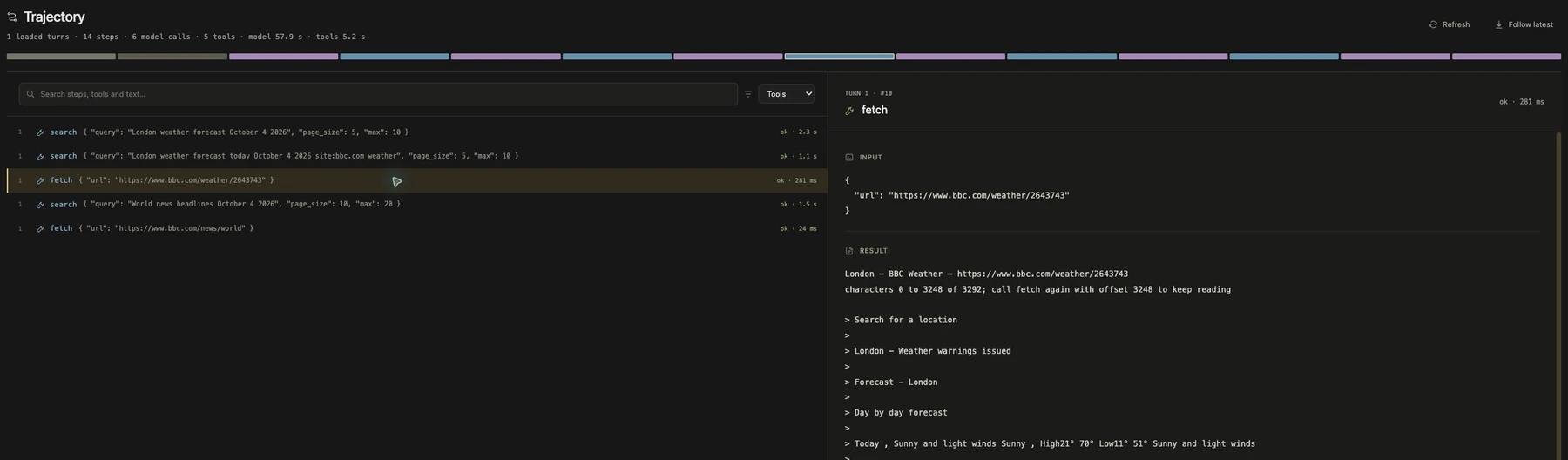
Follow model calls and tool activity in the trajectory. Select a step to inspect its input and recorded result, from the first search to the final reply.
Reference, within reach.
Install the manual into the server’s information collection, ready to read from the desktop Help view alongside retained sources.
Install the manual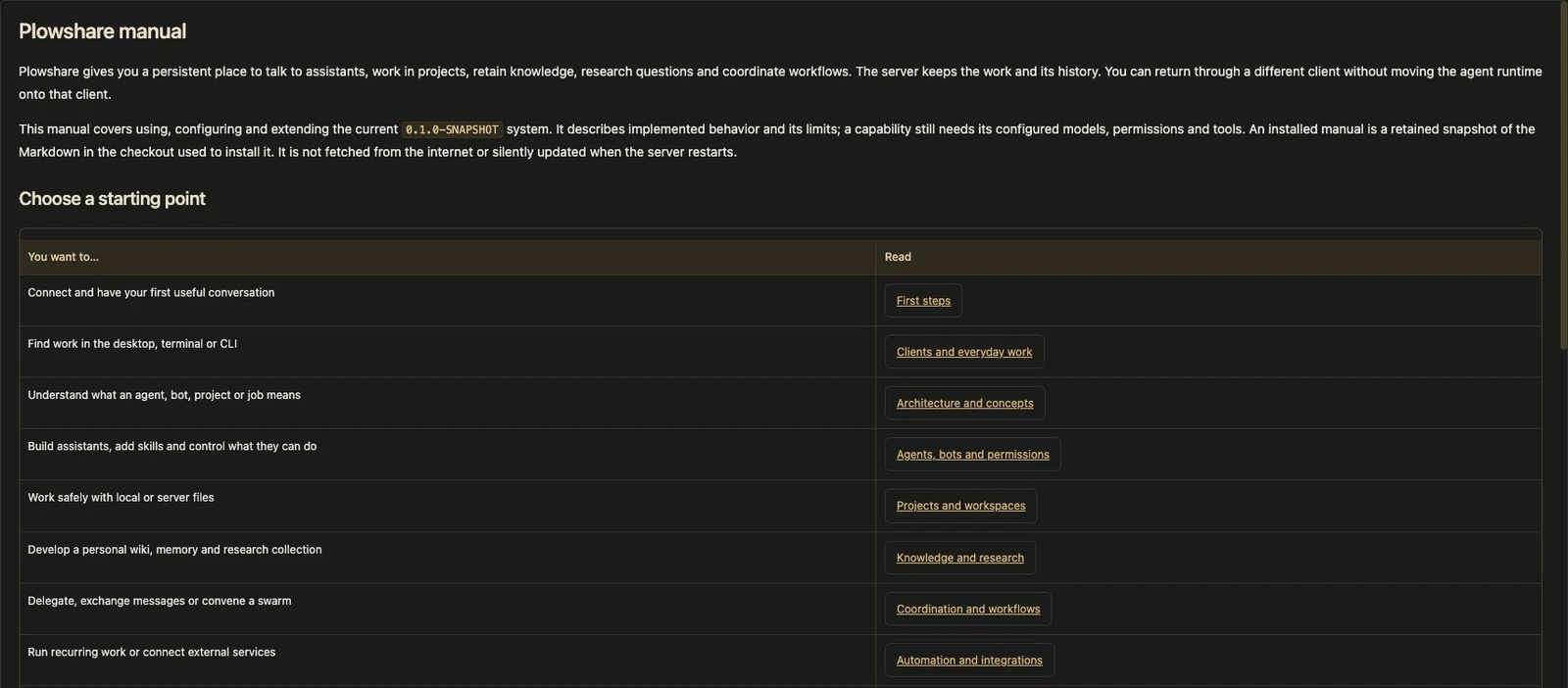
Start with a possibility.
The same framework can serve very different work. These implemented examples show where to begin; your definitions decide what comes next.
From a question
to a traceable report.
The bundled research workflow retains sources, develops findings, seeks counter-evidence and assembles a draft report for review.
Inspect the evidence behind a conclusion, then use feedback to produce a new revision.
Research guide Browse workflow definitions- 01Frame the questionReview the objectives
- 02Gather & retainSources become inspectable revisions
- 03Test the findingsEvidence and counter-evidence
- 04Review the reportDraft, feedback, new revision
Requires configured search, chat and embedding services. Recorded judgments still need review.
Turn selected events
into an investigation.
Home Assistant owns devices and immediate automation. A Plowshare project holds the agents, scripts and knowledge used to investigate selected observations.
Configure an observed threshold and hold interval, then route qualifying events into a bounded workflow.
Home Assistant guide Explore project definitions- 01Observe selected statesHome Assistant WebSocket events
- 02Apply the route policyThreshold, hold interval and cooldown
- 03Investigate in a projectConfigured agents and scripts
- 04Return the resultConfigured report delivery
The adapter is implemented. Live device and phone acceptance remain to be verified for a deployment.
Let your system
work with another.
The separate A2A adapter connects external collaboration to Plowshare through its public Java SDK. Send work to a configured peer or receive supported inbound requests.
Follow durable task status and request cancellation through the documented contracts.
A2A sending A2A receiving- 01Configure the peerExplicit address, account and project scope
- 02Send or receive workSeparate adapter, public SDK
- 03Follow durable statusInspect the owning task
- 04Handle the outcomeResults and cancellation semantics
A2A supports a documented subset of operations. The Java SDK exists; remote Maven artifacts are not yet published.
There’s more
to work with.
Build a knowledge practice, define your own specialists or connect an event to a repeatable procedure. Explore how the parts fit together, with practical paths into the manuals.
A persistent home
Personal, projects, agents and clients, with explicit file access and permissions.
Explore the platform 02 / KNOWLEDGEKeep what matters
Capture notes, retain sources, inspect evidence and build a personal knowledge collection.
Knowledge & research 03 / COLLABORATIONWork with specialists
Delegation, continuing message exchanges, swarm discussions and staged workflows.
Agent collaboration 04 / AUTOMATIONConnect ongoing work
Schedules, events, Home Assistant and A2A, connected to durable project work.
Automation & integrations 05 / BUILDShape the behavior
Author skills, hooks and orchestrations. Build adapters with SDKs in five languages.
Build & extend 06 / MANUALFind the next chapter
Browse the complete manual directory, from your first conversation to server operation.
Enter the reading roomThe next chapter
is yours.
Start with the manual. Set up a server, choose your models and connect a client. Then build a project around the work you want to do.
Plowshare is in active development at 0.1.0-SNAPSHOT. Models, tools and permissions need configuration; live workflow acceptance remains an ongoing part of the work.